The Challenge with Audible Book Formats
Audible's audiobook files arrive in a proprietary format called AAX, which includes Digital Rights Management (DRM) protection. This system prevents you from directly downloading an Audible book as a universal MP3 file that can be played on any device. The AAX format is designed to work exclusively within the Audible ecosystem, such as its official apps for smartphones, tablets, and computers, or on Amazon Alexa devices. If you own a dedicated MP3 player or prefer using a different media player application, you will find that Audible files are incompatible out of the box.
This protection is in place to safeguard the copyrights of authors, publishers, and narrators. While effective for its purpose, it creates a challenge for listeners who want the flexibility to listen to their purchased content on devices that do not support the Audible app. The process to convert these files involves removing the DRM and changing the file type, which allows you to create a personal backup for your library.
Understanding the Conversion Process: An Overview
The journey from a protected AAX file to a flexible MP3 file involves several distinct steps. It is not a one-click action within the Audible platform. You will need a computer (either Windows or macOS), your Audible account credentials, and specialized third-party software. This guide is for informational purposes, intended for users who wish to create personal backups of titles they have legally purchased, where permitted by local law. Always consult the laws in your region regarding copyright and DRM circumvention.
Step 1: Download the AAX Audiobook File to Your Computer
You cannot perform this process on a mobile device. The first critical step is to get the source AAX file onto your desktop or laptop computer. For many years, you could download this directly from your library on the Audible website. However, the process has changed, especially for Windows users.
For Windows Users:
Audible now directs Windows users to download their titles using the AudibleSync application. You must install this official app on your PC.
- Install and open the AudibleSync app.
- Sign in with your Audible or Amazon account credentials.
- Your library will appear in the app. Click the 'Download' button next to the audiobook you wish to convert.
- The app will download the AAX file to a specific folder on your computer. You can find the location in the app's settings.
For Mac Users:
On macOS, the process might still be possible through the website or the official Apple Books app, which integrates with Audible.
- Go to your 'Library' page on the Audible website.
- Find the audiobook you want and click the 'Download' button.
- Your Mac may ask you to authorize your computer for your Audible account if you have not done so already. This links your computer to your account, which is necessary for the file to be playable and for conversion software to work.
- The AAX file will be saved to your computer, typically in your Music or Books folder.
At the end of this step, you will have a large AAX file on your computer's hard drive. This is the raw material for the conversion.
Step 2: Use Software to Convert the AAX File to MP3
This is the part of the process where third-party tools become necessary. Because the AAX file is encrypted, a standard audio converter cannot process it. You need software specifically designed to handle Audible files. These applications work by using your account information to decrypt the file before converting it to another format.
Several software options are available, with popular open-source choices being Libation and OpenAudible. These tools are generally well-regarded, but you should always exercise caution when downloading and installing software from the internet. Ensure you are getting it from a reputable source, like an official GitHub repository.
The general steps for using these converters are similar:
- Install the Software: Download and install the chosen converter application on your computer.
- Connect Your Audible Account: The software will need to connect to your Audible account to access the decryption keys associated with your audiobooks. This usually involves an in-app login.
- Import Your Books: The application will typically scan for downloaded AAX files or sync with your Audible library directly to display your purchased titles.
- Select and Convert: Choose the audiobook you want to convert. Select your desired output format (MP3, M4A, etc.) and quality settings. Then, start the conversion process.
The software will work to remove the DRM and re-encode the audio into an MP3 file. The time this takes depends on the length of the audiobook and the speed of your computer. Once complete, you will have a DRM-free MP3 file ready for use.
Step 3: How to Download Audiobook to MP3 Player
With a standard MP3 file in hand, transferring it to a device is simple. This is how you download audiobooks on an MP3 player once they are in the correct format.
- Connect your MP3 player (such as a SanDisk Clip Jam, Sony Walkman, or other similar device) to your computer using a USB cable.
- Your computer will recognize the MP3 player as a removable drive, much like a USB flash drive.
- Open the drive to view its folders. There is usually a folder named 'Music' or 'Audiobooks'.
- Locate the MP3 file you just created on your computer.
- Drag and drop the MP3 file from your computer's folder into the appropriate folder on your MP3 player.
- Safely eject the MP3 player from your computer. Your audiobook is now ready to be played on the go.
This method works for any device that accepts MP3 files, including older car stereos with USB ports, other media players, or for creating a personal archive on a network-attached storage (NAS) device.
Why Convert Audible Books at All?
The primary reason listeners seek to rip audiobooks from Audible is for device compatibility and ownership. Many people own dedicated music players for exercising or minimizing distractions, and these devices do not support the Audible app. Creating an MP3 version is the only way to listen on them.
Another significant motivation is archival. When you purchase an audiobook on Audible, you are essentially purchasing a license to listen to it through their service. It provides a sense of true ownership over the media you have bought.
Below are a few examples of audiobooks whose production quality makes them excellent candidates for a high-fidelity personal backup.
For more details on how Audible's membership and file ownership works, see our complete breakdown.
How Audible Works: Credits, Plans, and What You Actually Pay
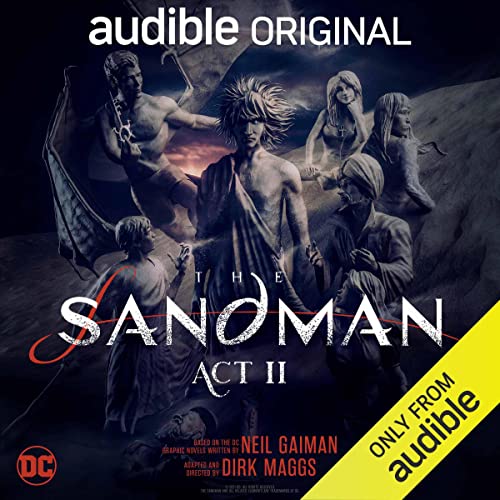
The Sandman: Act II
Neil Gaiman and Dirk Maggs continue their audio adaptation of the legendary graphic novel series with a production that feels more like a movie for your ears than a simple audiobook. The Sandman: Act II features a massive cast of talented actors, including James McAvoy as Dream, Kat Dennings as Death, and Michael Sheen as Lucifer. The sound design is intricate, with a rich score and immersive effects that build a complete audio world. This is the kind of production where audio quality matters immensely, making a high-bitrate MP3 conversion a worthwhile endeavor to appreciate its full depth on any audio system.
Dracula (Audible Original)
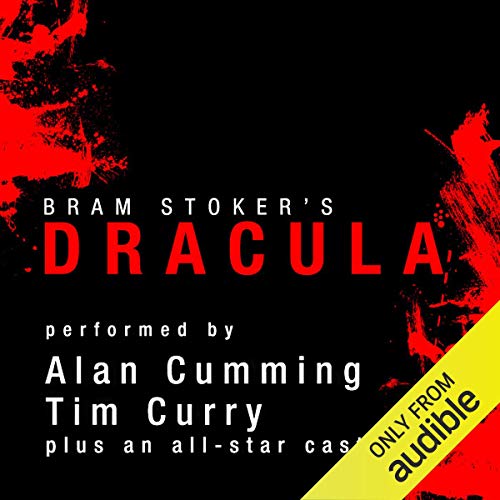
Bram Stoker's timeless horror classic is given new life in this Audible Original production. Presented in an epistolary format, just like the novel, the story unfolds through letters, diary entries, and newspaper clippings. A full cast, including Alan Cumming as Doctor Seward and Tim Curry, brings the different perspectives to life. Each narrator provides a unique voice and emotional tone, creating a tense and atmospheric experience. Converting this title allows you to preserve a stellar audio drama that relies on its multi-voice performance to create suspense.
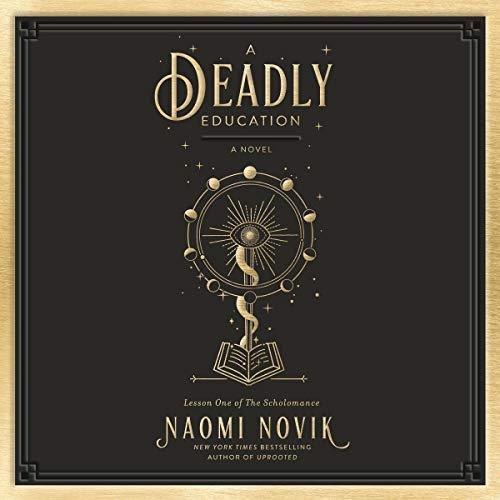
A Deadly Education
Naomi Novik's A Deadly Education introduces listeners to the Scholomance, a school for the magically gifted where failure means certain death. The story is told from the first-person perspective of El Higgins, a sharp-tongued and powerful sorceress. Narrator Anisha Dadia delivers a standout performance, perfectly capturing El's sarcasm, vulnerability, and determination. Her portrayal is so intertwined with the character that many fans consider it the definitive way to experience the story. For those who love a strong single-narrator performance, having a personal copy of Dadia's work is a must.